ORM 关联查询
选择关联对象
有时我们需要预先加载一堆对象。修改 playground/views.py 代码如下:
def say_hello(request):
    queryset = Product.objects.all()
    return render(request, 'hello.html', {'name': 'Today Red', 'products': list(queryset)})
修改 playground/templates/hello.html 代码如下:
<html>
    <body>
        {% if name %}
        <h1>Hello {{ name }}</h1>
        {% else %}
        <h1>Hello, World</h1>
        {% endif %}
        <ul>
            {% for product in products %}
            <li>{{ product.title }} - {{ product.collection.title }}</li>
            {% endfor %}
        </ul>
    </body>
</html>
保存并刷新,查看 SQL 执行情况:
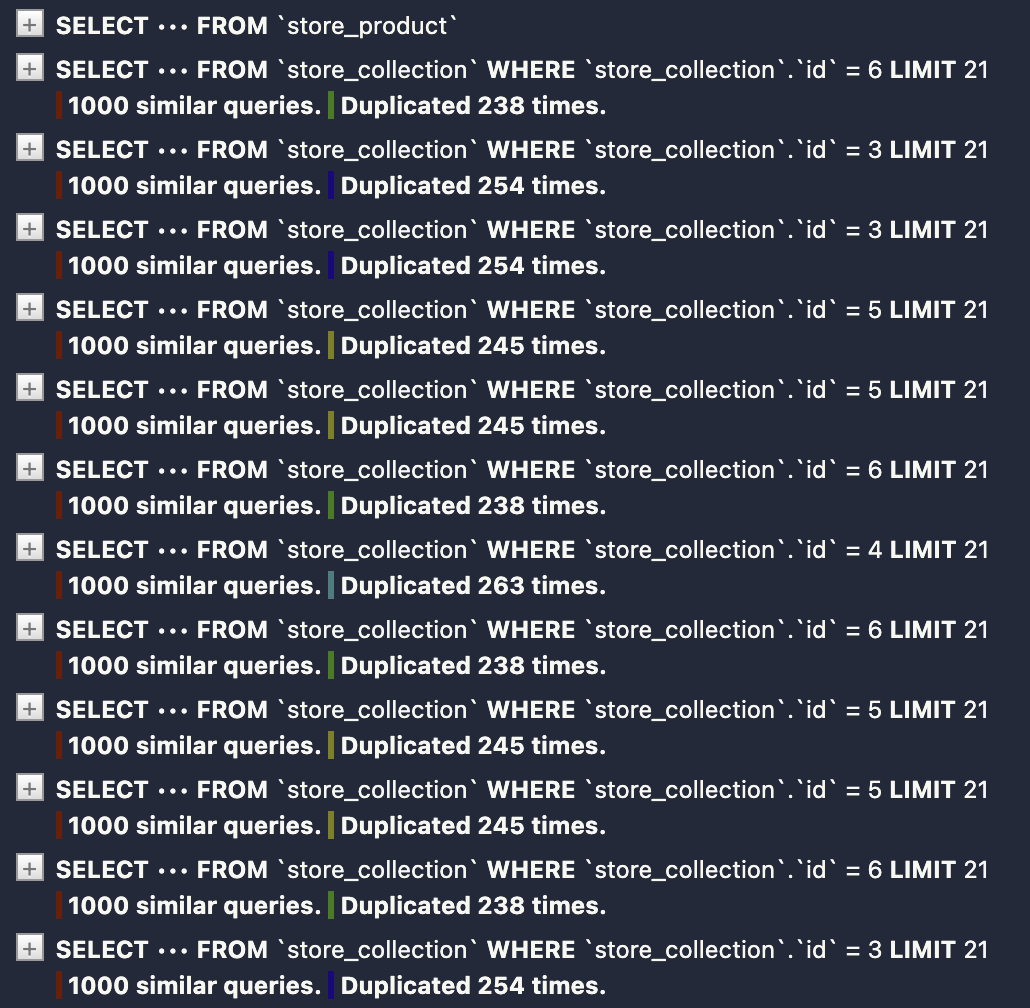
由于我们在模板中访问了 product.collection.title,Django 会为每个产品执行一个新的查询来获取其所属集合的标题,这可能会导致 N+1 查询问题。为了避免这个问题,我们可以使用 select_related() 方法来预加载关联对象:
queryset = Product.objects.select_related('collection').all()
保存并刷新,查看 SQL 执行情况:
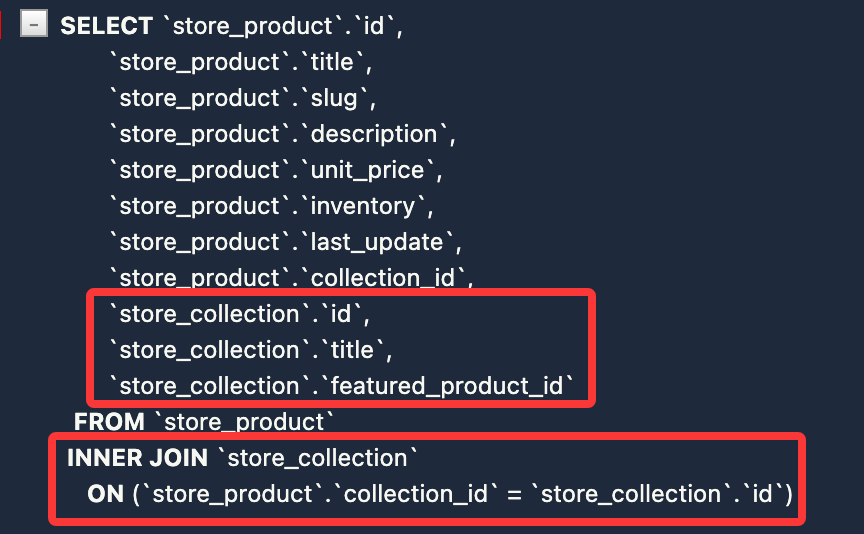
还有一种方式是使用 prefetch_related() 方法来预加载关联对象:
queryset = Product.objects.prefetch_related('promotions').all()
修改 playground/templates/hello.html 代码如下:
<html>
    <body>
        {% if name %}
        <h1>Hello {{ name }}</h1>
        {% else %}
        <h1>Hello, World</h1>
        {% endif %}
        <ul>
            {% for product in products %}
            <li>{{ product.title }} - {{ product.collection.title }}</li>
            <li>{{ product.title }}</li>
            {% endfor %}
        </ul>
    </body>
</html>
保存并刷新,查看 SQL 执行情况:
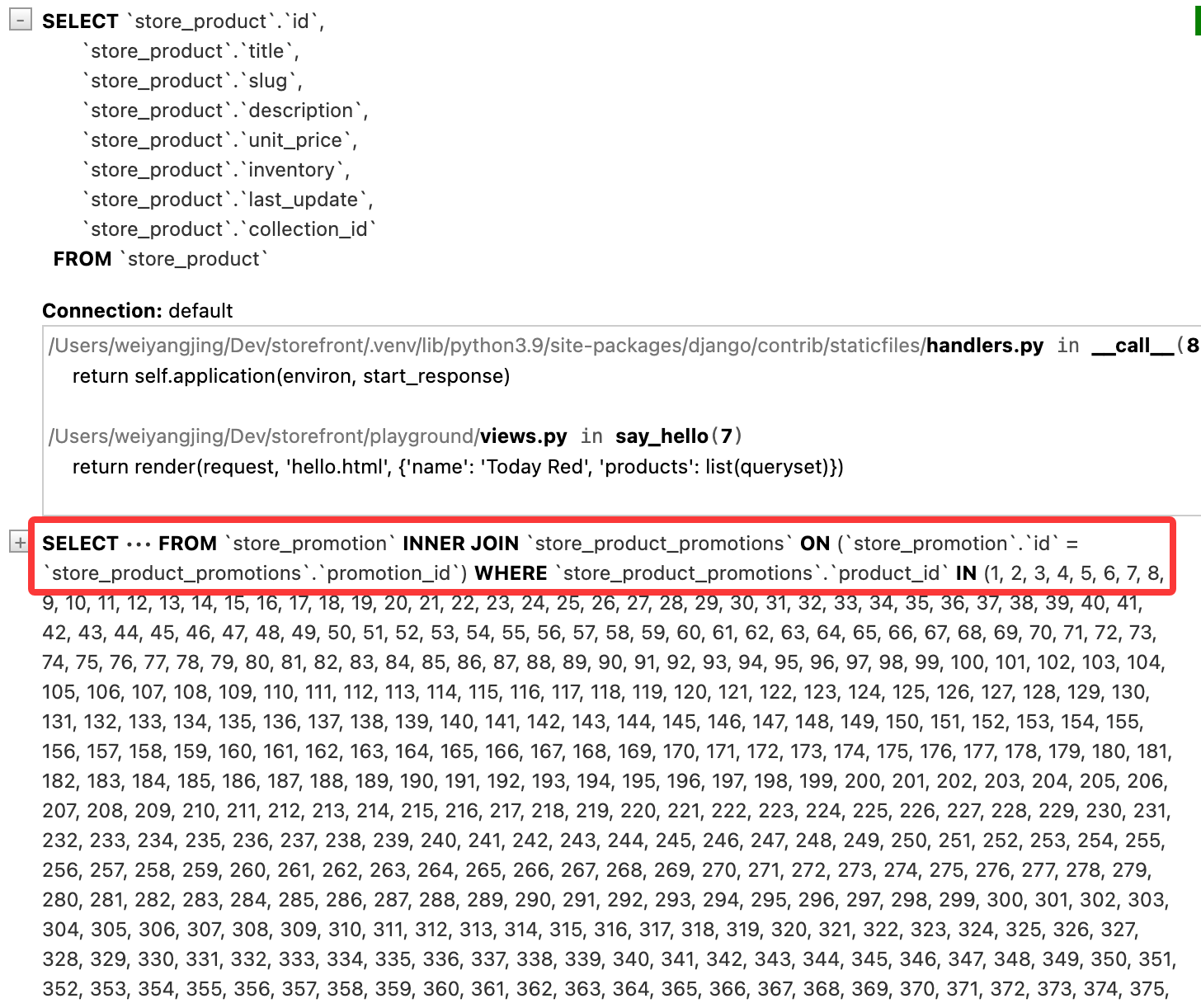
两者的区别在于,select_related() 使用 SQL 的 JOIN 来一次性获取相关对象的数据,而 prefetch_related() 则会执行两个独立的查询来获取相关对象的数据,并在 Python 代码中进行关联。select_related() 适用于多对一或一对一,prefetch_related() 适用于多对多或一对多。
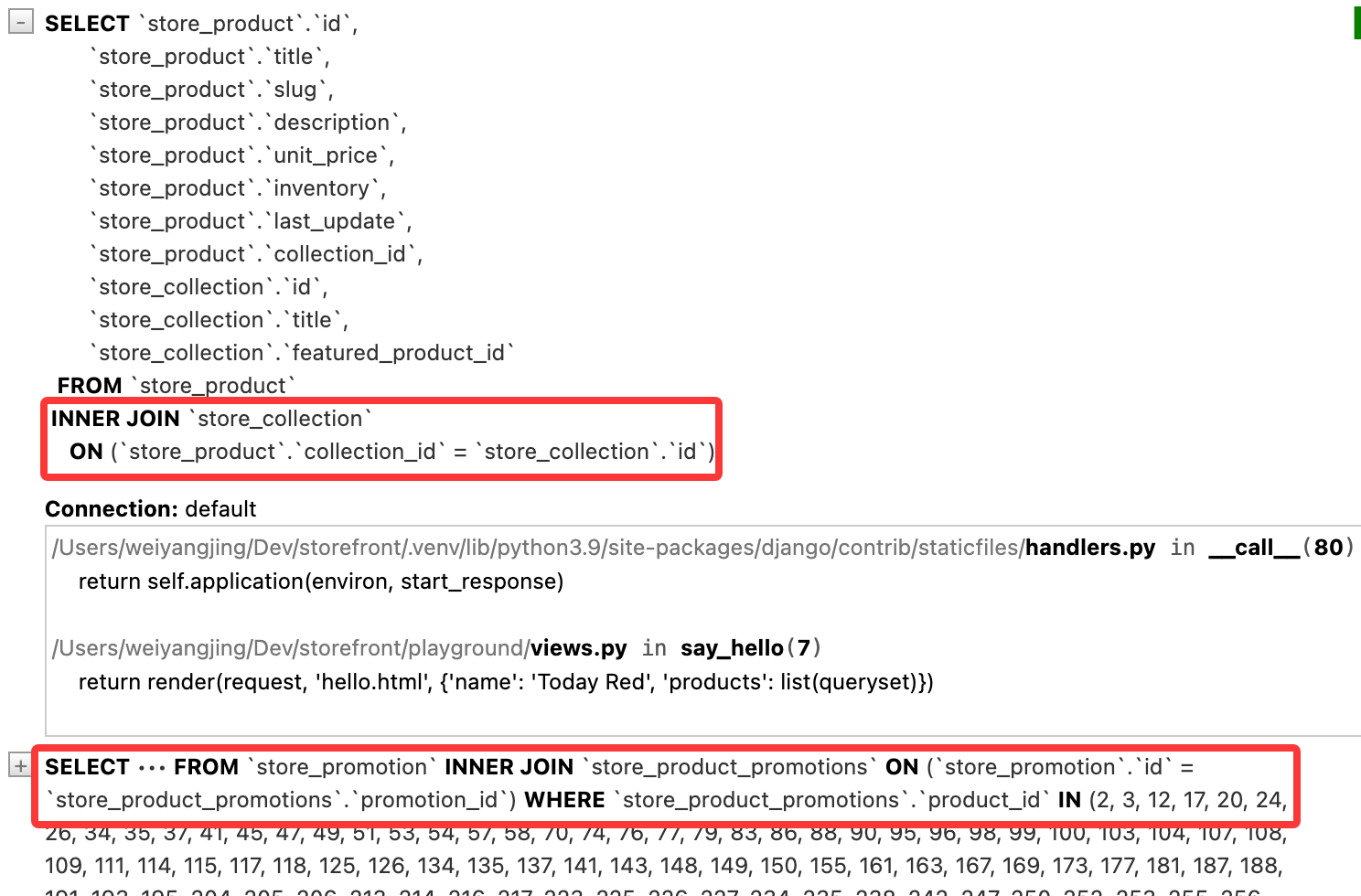
如果同时需要获取一对一关系和多对多关系的数据,可以链式使用 select_related() 和 prefetch_related(),调用的先后顺序不会影响结果获取:
queryset = Product.objects.select_related('collection').prefetch_related('promotions').all()
保存并刷新,查看 SQL 执行情况:
小练习:获取最近的 5 个订单和订单对应的用户,并获取对应的订单项和相关的产品数据:
queryset = Order.objects.prefetch_related('orderitem_set__product').select_related('customer').order_by('-placed_at')[:5]
查询泛型关系
我们此前创建了一个 tags 应用,应用中有两个模型 TaggedItem 和 Tag。由于想要把内容类型与商店应用程序解耦,因此我们使用泛型外键,也就是说 content_type 不知道有 product 等模型,content_type 和 object_id 字段可以指向任何模型的实例。
换句话说,这个tag可以用于标记商品,也可以用户标记博客文章等等。现在让我们来看下 tag 怎么跟 product 模型进行关联的。
首先来到数据库,查看 django_content_type 表。这里边的部分条目由 Django 应用自动创建。
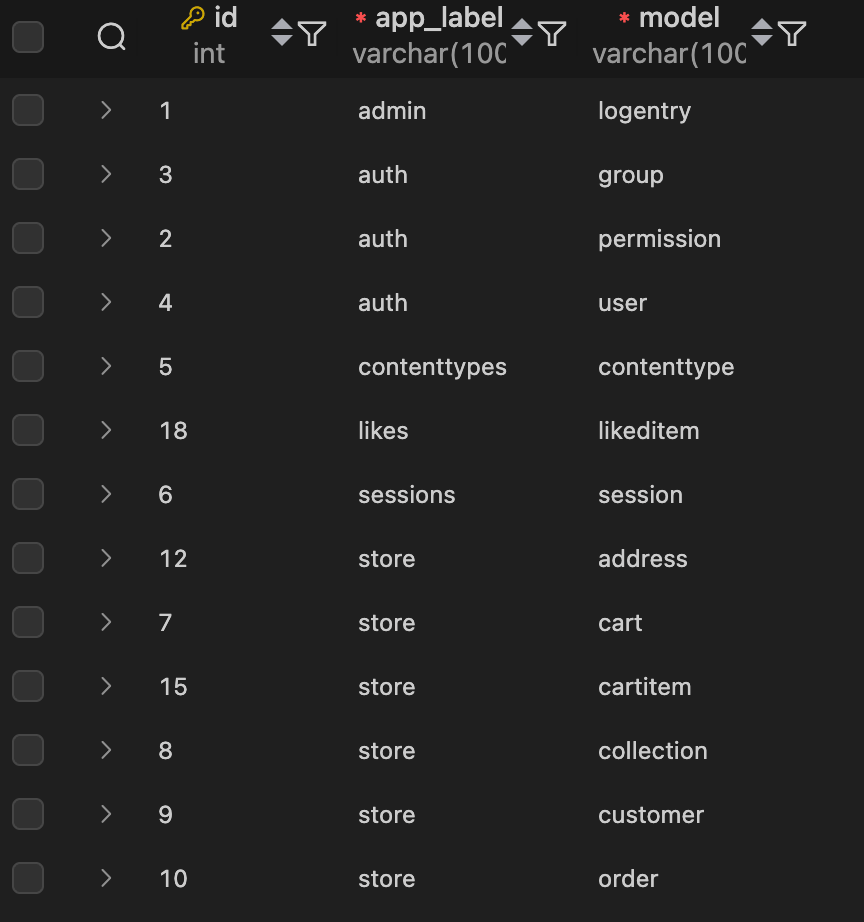
查看 tags_taggeditem 表,有内容类型ID和标记ID,以便查找给定产品的标签,也就是说,如果要建立 tag 和product 之间的关系,我们需要知道 product 模型在 django_content_type 表中的 id。此时返回到 django_content_type 表,查看 product 模型的 id:
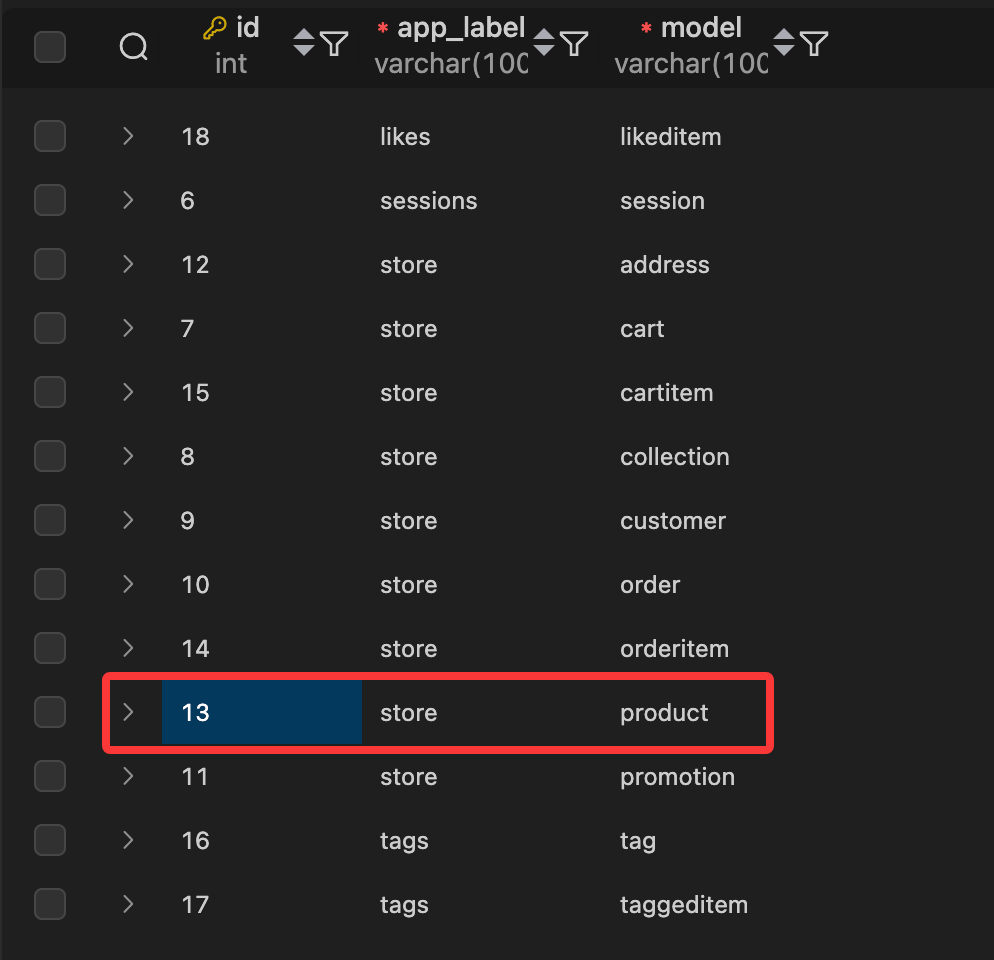
在当前数据库中,对应的 ID 是13。但是我们不建议直接使用这个ID,因为在不同的数据库中这个ID可能会不同。Django 提供了一个 ContentType 模型来帮助我们获取模型对应的 content type ID。
from django.contrib.contenttypes.models import ContentType
from store.models import Product
from tags.models import TaggedItem

def say_hello(request):
    content_type = ContentType.objects.get_for_model(Product)
    queryset = TaggedItem.objects \
        .select_related('tag') \
        .filter(
            content_type=content_type,
            object_id=1
        )

    return render(request, 'hello.html', {'name': 'Today Red', 'tags': list(queryset)})
content_type 的管理器有一个名为 get_for_model() 的方法,它接受一个模型类作为参数,并返回该模型对应的 content type 对象。也就是说content_type = ContentType.objects.get_for_model(Product) 实际上对象对应这一行

由于 TaggedItem 模型中的tag_id字段是一个外键指向 Tag 模型,所以实际标签存储在 Tag 模型中。因此需要使用 select_related 预加载,否则会导致 N+1 查询问题。
保存代码并刷新,查看 SQL 执行情况:
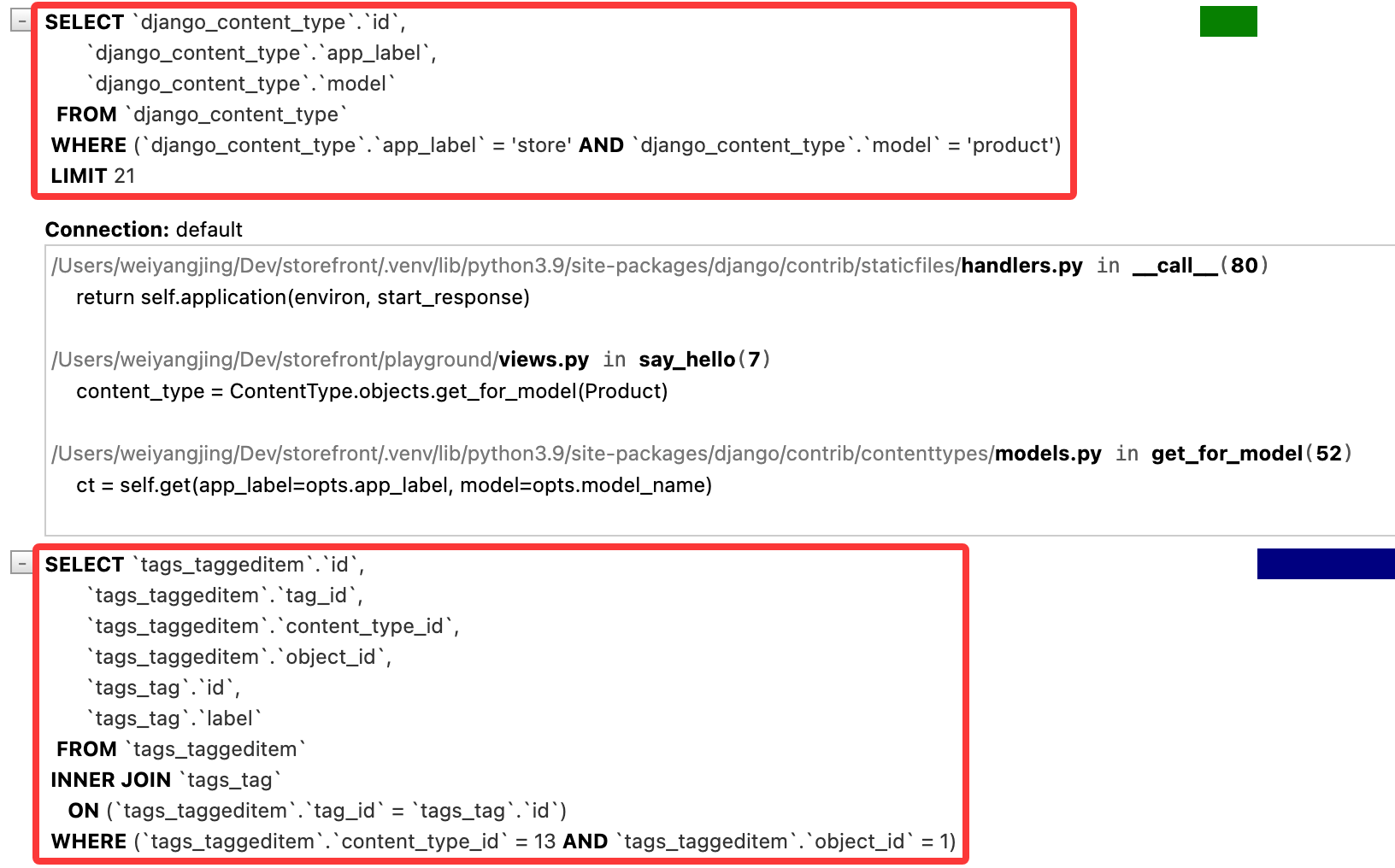
可以看到第一个查询是为产品获取 content type ID 的查询,第二个查询是获取标签数据的查询。
自定义 Manager
我们继续查询泛型关系的例子来讲,如果想要获取查询某个 Product 拥有的标签,可以通过代码实现:
def say_hello(request):
    content_type = ContentType.objects.get_for_model(Product)
    queryset = TaggedItem.objects. \
    .select_related('tag') \
    .filter(
        content_type=content_type,
        object_id=1
    )

    return render(request, 'hello.html', {'name': 'Today Red', 'tags': list(queryset)})
但实际代码会显得比较冗长,尤其是当我们需要频繁查询某个模型的标签时。为了解决这个问题,我们可以在 TaggedItem 模型中定义一个自定义 Manager 来封装这个查询逻辑。例如,将这段逻辑封装成:
TaggedItem.objects.get_tags_for(Product, 1)
要比前面编写的代码好且简洁。接下来介绍如何实现自定义 Manager。此时找到 tags/models.py 文件,创建一个 TaggedItemManager 类,继承自 models.Manager,并在其中定义一个 get_tags_for() 方法:
class TaggedItemManager(models.Manager):
    def get_tags_for(self, obj_type, obj_id):
        content_type = ContentType.objects.get_for_model(obj_type)
        return TaggedItem.objects \
            .select_related('tag') \
            .filter(
                content_type=content_type,
                object_id=obj_id
            )
然后在 TaggedItem 模型中使用这个自定义 Manager:
class TaggedItem(models.Model):
    objects = TaggedItemManager()
    tag = models.ForeignKey(Tag, on_delete=models.CASCADE)
    content_type = models.ForeignKey(ContentType, on_delete=models.CASCADE)
    object_id = models.PositiveIntegerField()
    content_object = GenericForeignKey('content_type', 'object_id')
现在回到 playground/views.py 文件中,使用自定义 Manager 来获取标签:
def say_hello(request):
    queryset = TaggedItem.objects.get_tags_for(Product, 1)
    return render(request, 'hello.html', {'name': 'Today Red', 'tags': list(queryset)})
了解查询集缓存
Django 的查询集具有缓存机制,当我们第一次访问查询集时,Django 会执行数据库查询并将结果缓存起来。之后对同一个查询集的访问将直接使用缓存中的数据,而不会再次执行数据库查询。
举个例子,我们要获取全部产品数据:
queryset = Product.objects.all()
list(queryset)
此时 Django 会计算这个数据集,然后从数据库中获取结果,并将结果缓存。如果进行第二次查询:
list(queryset)
此时 Django 会直接使用缓存中的数据,而不会再次执行数据库查询。
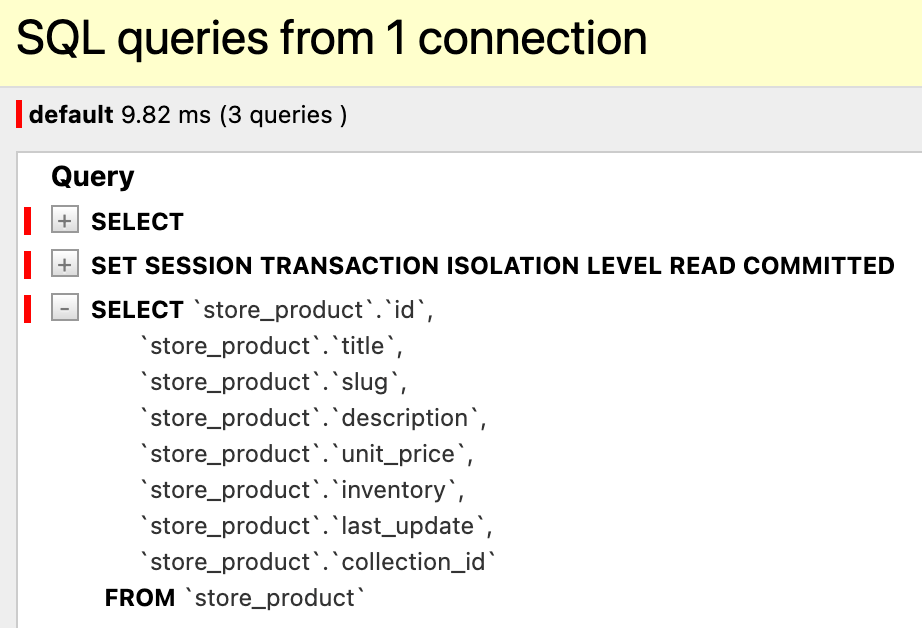
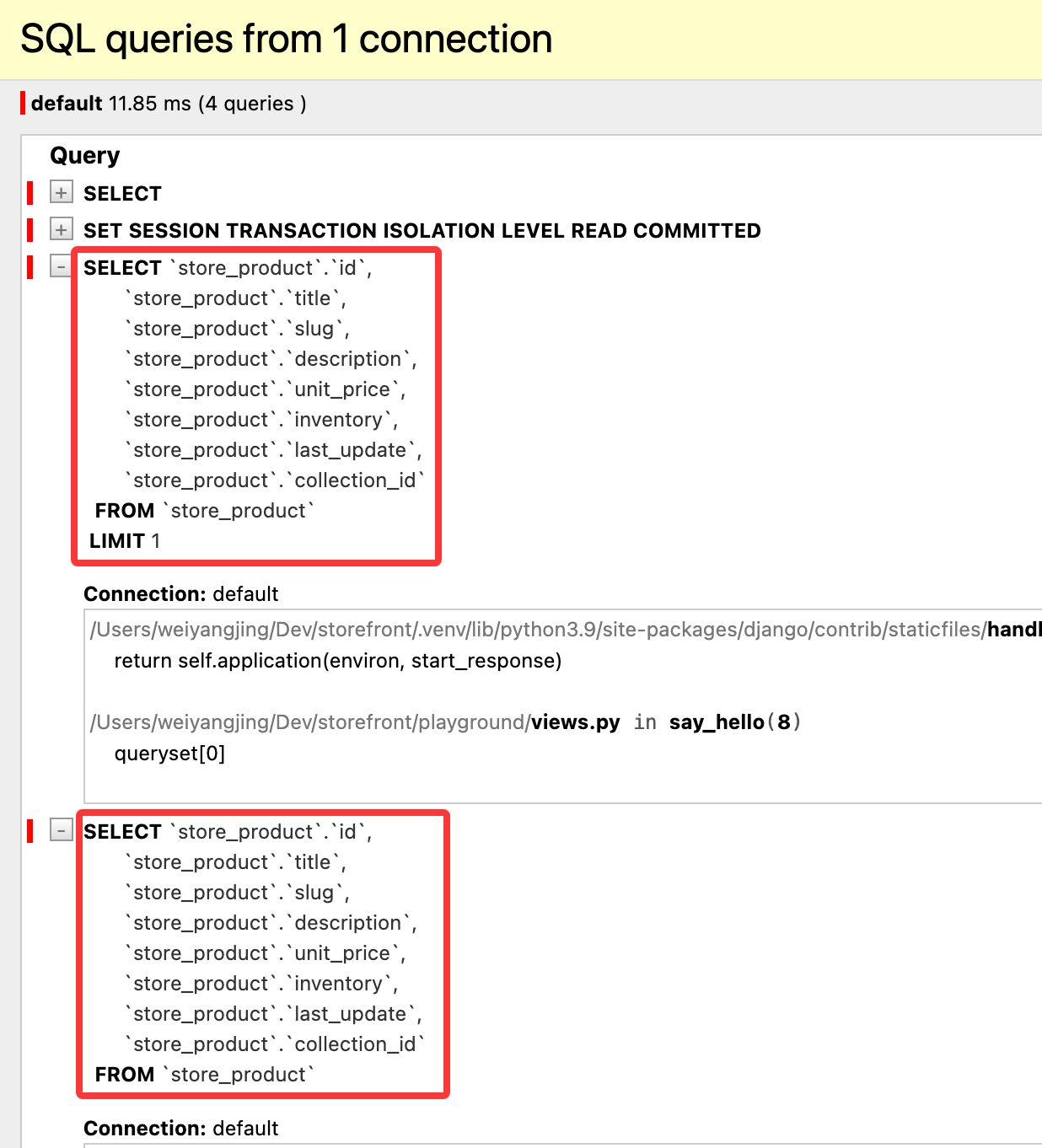
需要注意的是,只有第一次计算完整查询集时才会发生缓存,也就是说,如果按照如下代码顺序执行:
queryset = Product.objects.all()
queryset[0]
list(queryset)
此时会得到对数据库的两个查询
但如果执行顺序调换:
queryset = Product.objects.all()
list(queryset)
queryset[0]
由于第一次访问查询集时已经计算了完整查询集并缓存了结果,因此第二次访问查询集时直接使用缓存中的数据,而不会再次执行数据库查询。
尽管缓存机制可以提高性能,如果代码结构不正确,可能会导致意外的数据库查询,从而影响性能。